Why Excel Remains Essential in Construction
Even in an era of specialized project management software, Excel remains one of the most versatile and reliable tools for construction project tracking and reporting. From my experience as a Project Coordinator, Excel allows for customization, quick analysis, and clear reporting that is often unmatched by other tools. While platforms like Procore or Microsoft Project handle scheduling and documentation, Excel is the go-to solution for day-to-day tracking, budgeting, and task management.
Excel provides a centralized location to monitor progress, organize data, and create reports that are easy to share with team members, clients, and stakeholders. Its flexibility allows coordinators to tailor spreadsheets for projects of any size or complexity, from small residential builds to large commercial developments.
Setting Up Your Spreadsheet for Success
A well-structured spreadsheet is the foundation of effective project tracking. When I create an Excel sheet for a construction project, I focus on clarity, organization, and accessibility.
Define Key Project Metrics
Before entering data, I identify the key metrics that need to be tracked. These often include:
- Task completion and progress percentages
- Scheduled start and end dates
- Resource allocation, including labor and equipment
- Material deliveries and costs
- Budget tracking and expenses
Having a clear understanding of what needs to be measured ensures that the spreadsheet provides actionable insights rather than just raw data.
Organize Data with Tabs and Tables
I use separate tabs for different types of information, such as schedules, budgets, and subcontractor tracking. Within each tab, tables with clear headers help maintain organization and allow for easy filtering, sorting, and analysis. Structured tables also make it easier to create charts and dashboards for visual reporting.
Tracking Progress and Scheduling
Excel is particularly powerful for tracking project schedules and progress. Using formulas and conditional formatting, I can monitor tasks in real time and identify potential delays before they become critical issues.
Creating Gantt Charts in Excel
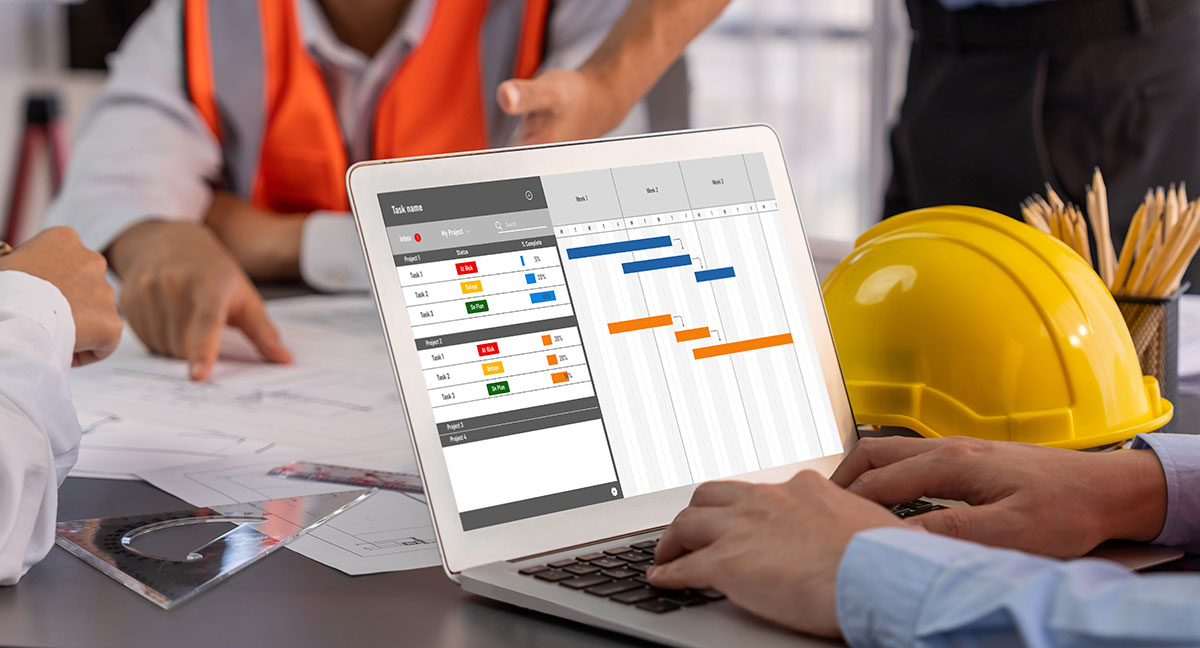
While Excel is not a dedicated scheduling tool, it is possible to create simple Gantt charts to visualize task sequences. I use start and end dates to create bars representing each task, color-coded by trade or priority. This visual representation helps me quickly identify overlapping tasks, dependencies, and potential conflicts between trades.
Using Conditional Formatting
Conditional formatting allows me to highlight critical information automatically. For example, overdue tasks can be highlighted in red, upcoming deadlines in yellow, and completed tasks in green. This makes it easy to scan the spreadsheet and see the overall status of a project at a glance.
Managing Budgets and Expenses
Cost management is another area where Excel excels. I track project budgets, actual expenses, and variance using detailed spreadsheets that can be updated daily or weekly.
Tracking Costs by Category
I break down expenses by category, such as labor, materials, subcontractors, and equipment. Using formulas, I calculate totals, track cumulative spending, and compare actual costs to budgeted amounts. This allows me to catch overspending early and make informed decisions to stay within budget.
Creating Forecasts
Excel can also help project coordinators forecast future expenses. By analyzing trends in spending and resource use, I can predict potential budget overruns and adjust plans proactively. This type of forecasting is critical for both residential and commercial projects, where unanticipated costs can significantly impact overall profitability.
Reporting to Teams and Stakeholders
One of the most important aspects of project tracking is reporting. Excel allows me to create clear, professional reports that can be shared with clients, contractors, and internal teams.
Dashboards and Visual Summaries
I often create dashboards with charts and graphs to summarize key metrics. Progress bars, pie charts, and line graphs make complex data easy to understand, allowing stakeholders to quickly assess the status of the project. These visual summaries are particularly helpful for meetings and progress updates.
Automating Reports
Excel also supports automated reporting through formulas and macros. By linking tables and using dynamic formulas, I can generate updated reports quickly, reducing time spent manually compiling information. Automated reports help ensure accuracy and consistency across multiple projects.
Tips for Maximizing Excel Efficiency
Over the years, I have developed several strategies for using Excel more effectively in construction projects:
- Keep it simple: Avoid overly complex formulas or unnecessary data. Simplicity improves clarity and reduces errors.
- Use consistent formatting: Standardized headers, colors, and tables make spreadsheets easier to read and navigate.
- Leverage templates: Using pre-built templates for budgeting, scheduling, or task tracking can save time and improve accuracy.
- Regularly update data: Consistent updates ensure that tracking and reporting reflect the current state of the project.
- Integrate with other tools: Linking Excel to other project management software or databases can improve efficiency and reduce duplication.
The Human Element
While Excel is a powerful tool, it is only effective when paired with strong project management practices. Clear communication, attention to detail, and proactive problem solving are essential to making Excel work for your projects. The spreadsheet becomes a reflection of the project’s health, and maintaining accurate, timely data is key to success.
Conclusion
Excel remains an indispensable tool for construction project coordinators in 2026. Its flexibility, analytical capabilities, and visual reporting features make it ideal for tracking progress, managing budgets, and keeping multiple trades aligned.
From my perspective, the real power of Excel lies in its ability to combine detailed project data with clear, actionable reporting. When used effectively, it supports decision making, improves communication, and helps ensure projects are completed on time and within budget. For construction professionals, mastering Excel is not just a convenience. It is a practical and powerful skill that directly contributes to project success.